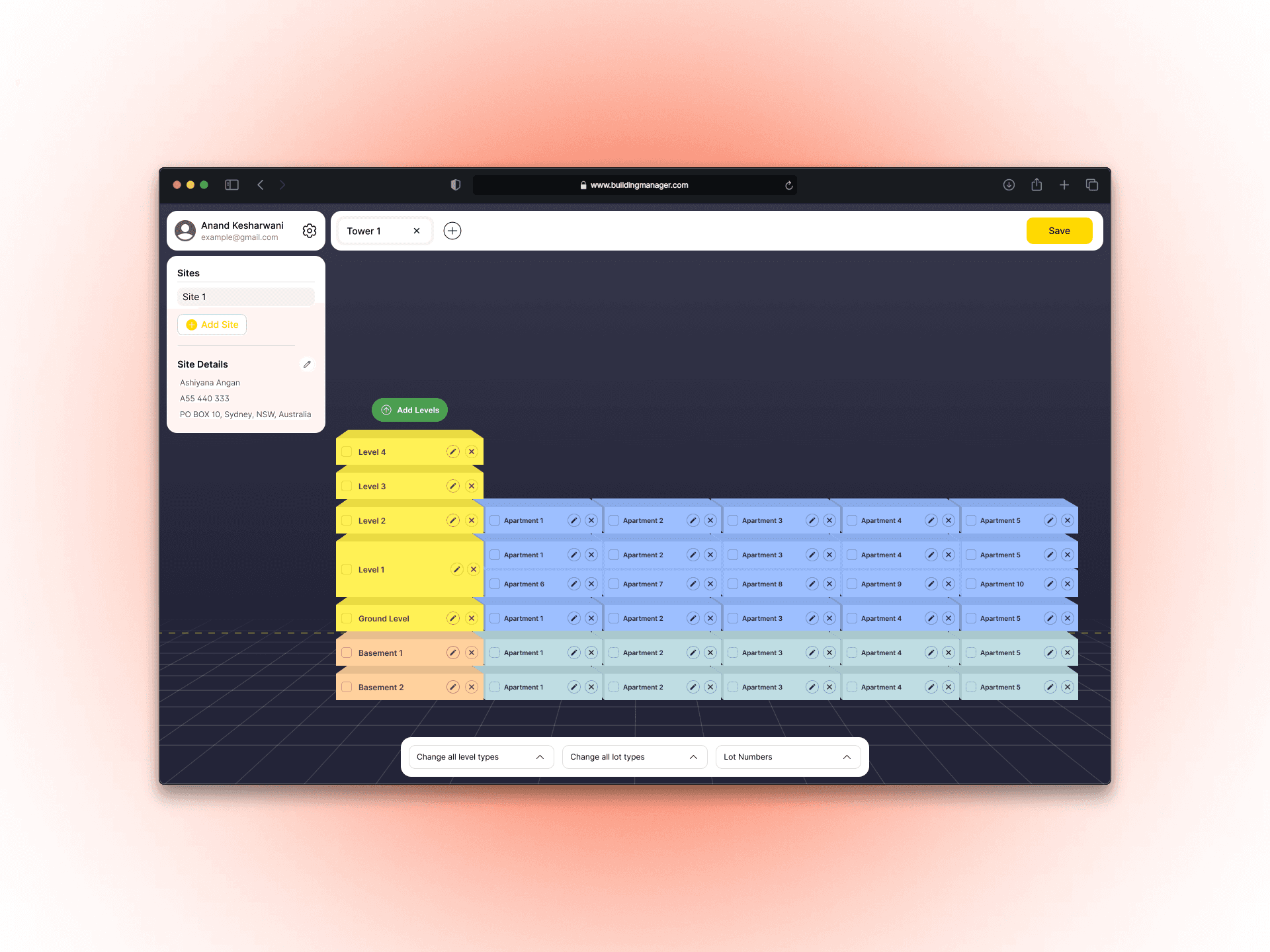
I worked with BuildingManager.com to design a structured product demo flow that allows potential customers to configure a building, from site creation to towers, levels, and apartments.
The demo needed to feel intuitive and self-explanatory. Users should be able to understand the interface instantly, move through each step confidently, and complete the setup without needing tutorials or guidance.
Scope:
UX Strategy, UI Design, and Interactive Demo Design
Industry:
Property & Facility Management Technology (PropTech)
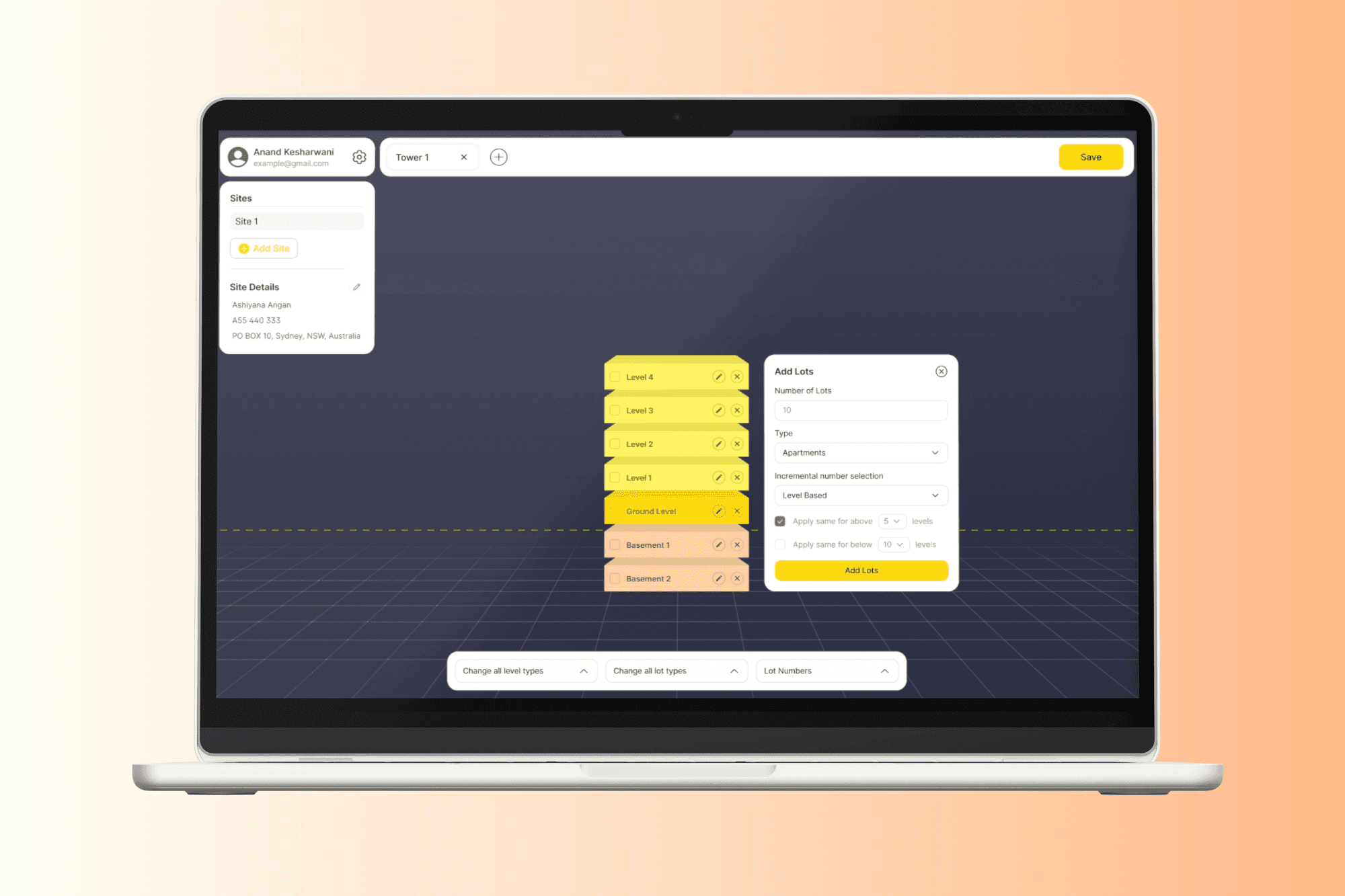
The goal was to make the interface so clear and easy to use that anyone could log in and start building immediately without needing instructions.
So I approached it by designing experience that feels simple, interactive, and visually engaging, and removed anything that slows the user down. If something required explanation, I redesigned it.
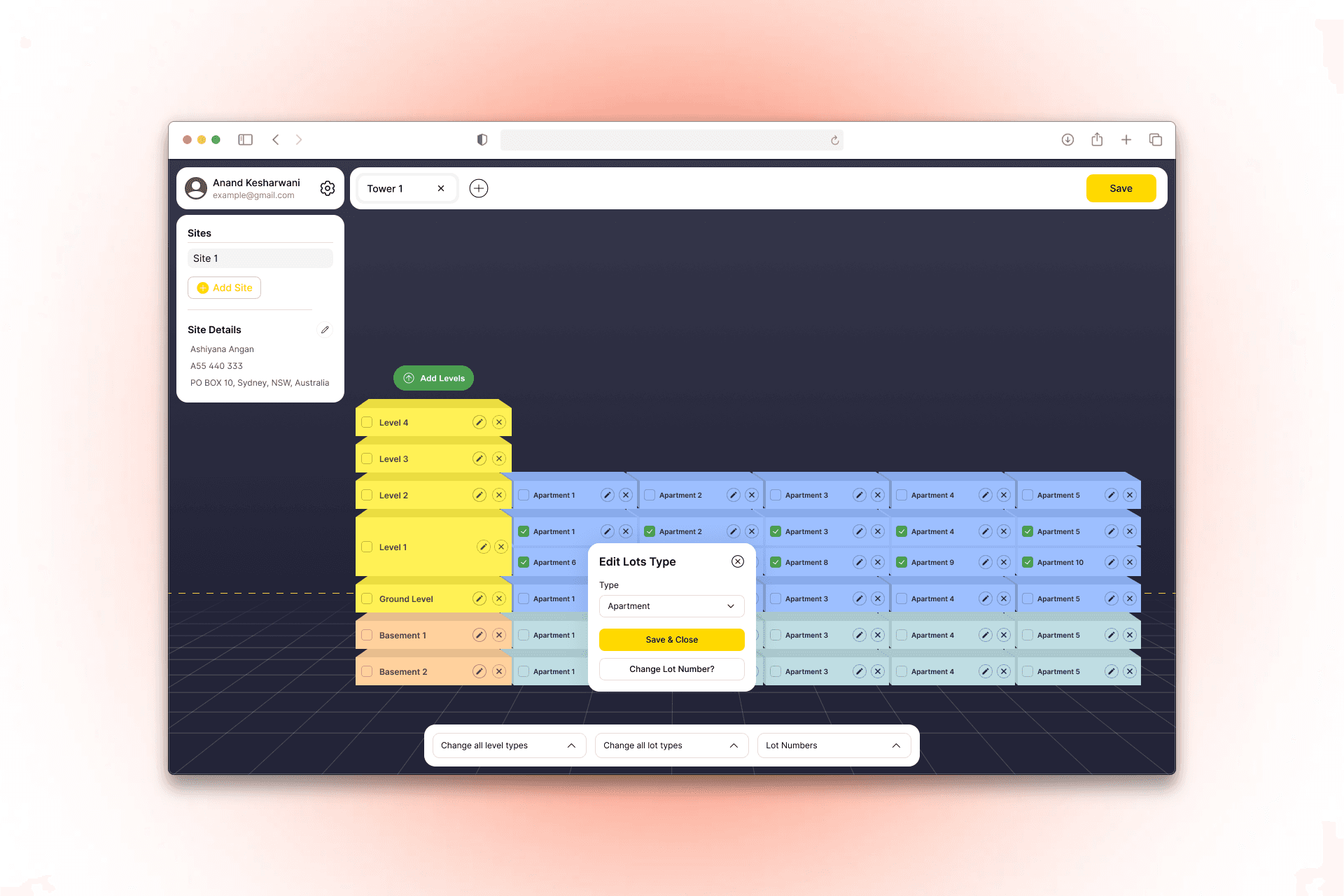
In most case studies, you’ll see designers walking through every step of their process, such as brainstorming, wireframing, prototyping, etc . That’s valuable, but here I’d rather focus on something deeper, the value I brought to the table. What I introduced to the application, how I shaped the overall experience, and the role I played in making it clearer, stronger, and more successful.
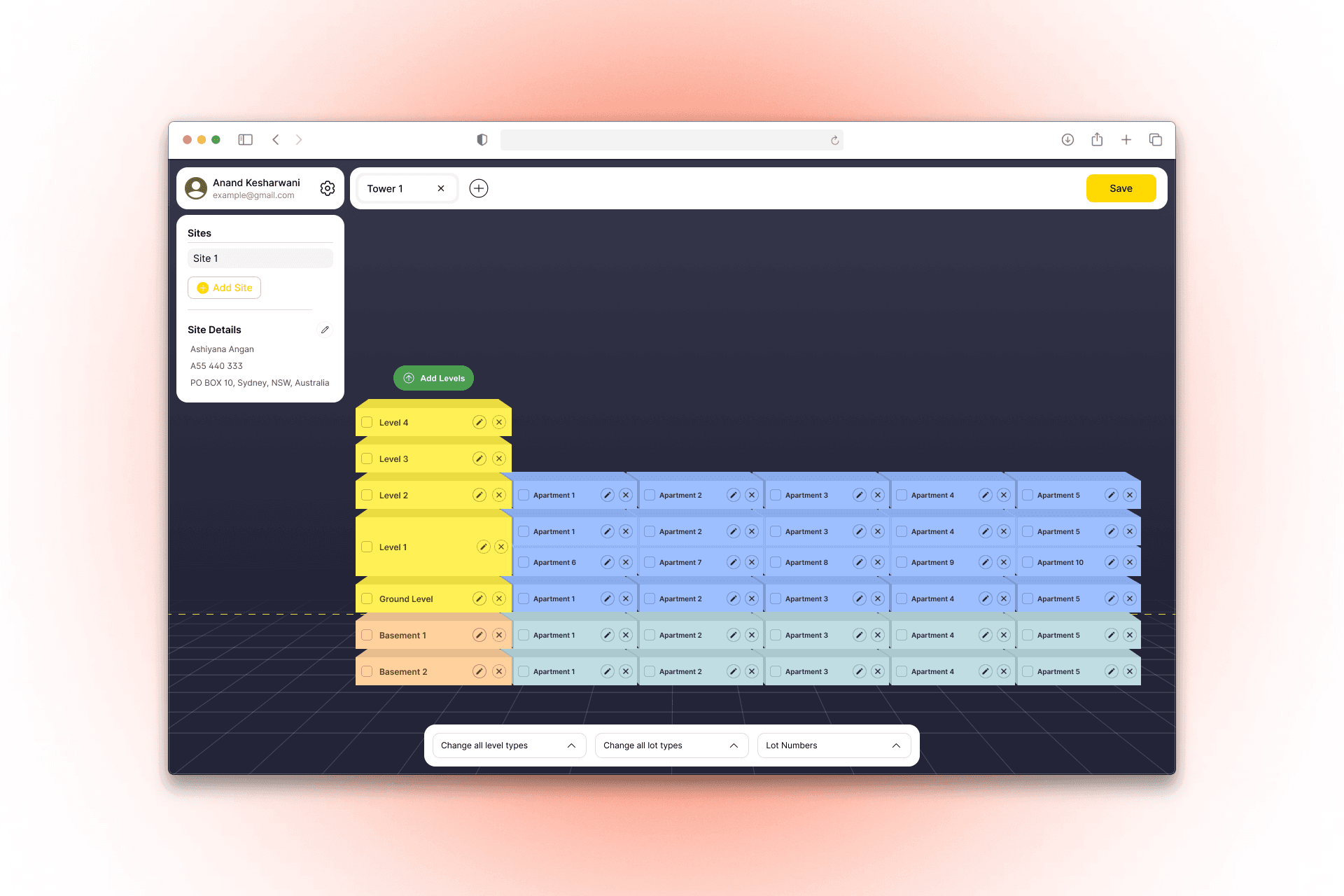
The Isometric Representation of Building layout
When we were discussing the project, the client was explaining the building structure in a traditional 2D way. But while he was talking, my brain was already building it in 3D. Levels stacking. Basements going below ground. Apartments lining up across each floor. It was all running in front of my eyes.
Something felt off about keeping it flat.
A real building isn’t 2D. And asking users to imagine a real-world structure through a basic list layout felt like making them do extra mental work.
Full 3D wasn’t possible due to the budget. But creativity doesn’t always need a big budget. So I introduced an isometric representation of the building.
Now users don’t have to reduce their imagination to a spreadsheet. They can actually see the levels stacking, basements sitting below ground, and apartments expanding across floors.
Instead of configuring data, they feel like they’re shaping a building. And that shift changes the entire experience.
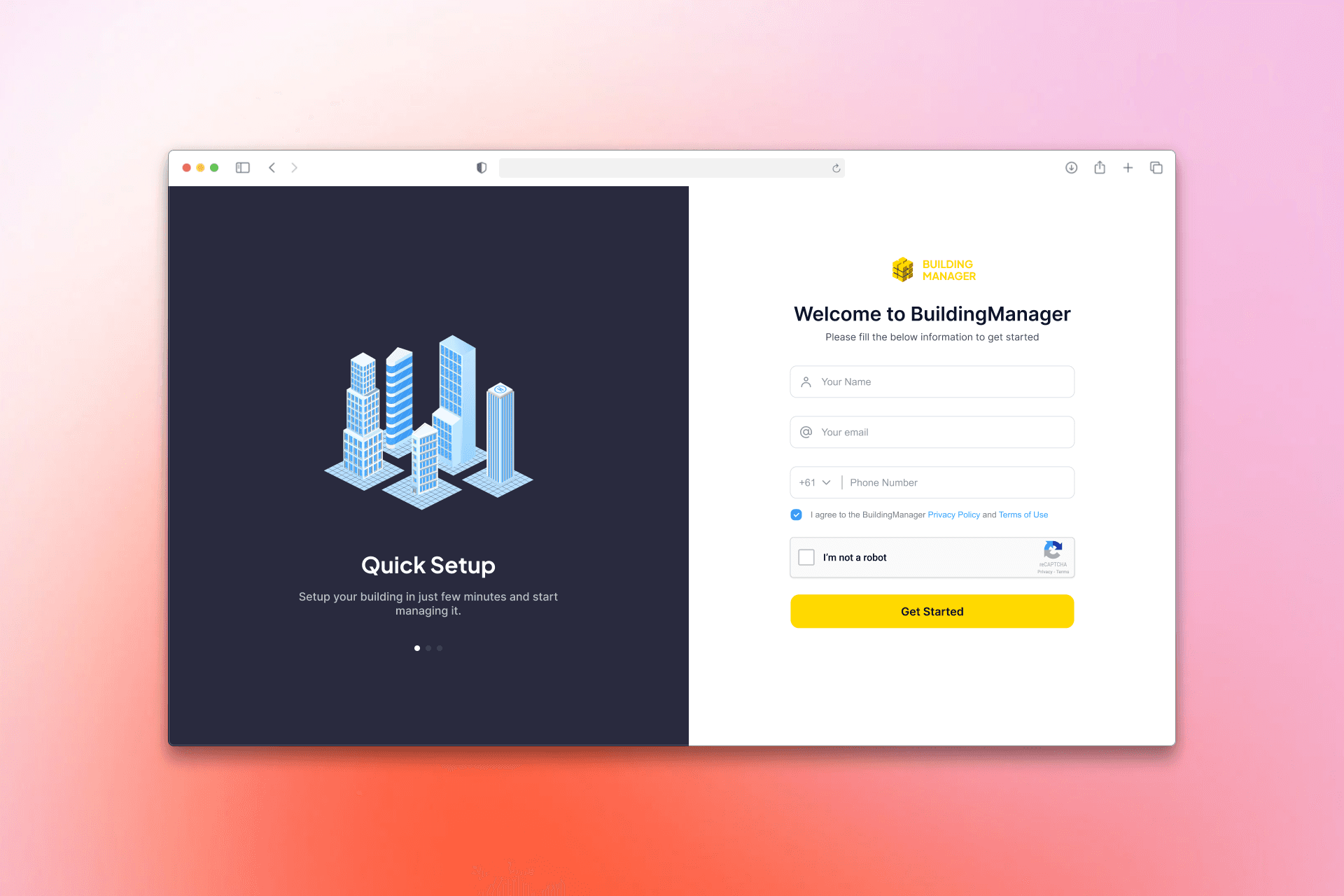
Animation in the Login Flow
On the BuildingManager.com website, when a user clicks on “Request Demo” or “View Demo,” they land on the login screen. Only after logging in can they start configuring the building.
Now, this could have been just another generic login form. But that felt like a missed opportunity. This is the first real interaction users have with the product. Why waste it?
So instead of designing a plain login screen, I turned it into a subtle sales moment — not pushy, but informative.
While users log in, they also discover what the platform can do beyond just the demo in 3 valuable points.
Each feature transitions smoothly with subtle animations, supported by small isometric visuals that reflect the product’s spatial design language.
So instead of staring at a static form, users experience movement, clarity, and capability.
It doesn’t just ask them to log in. It quietly shows them why they should care.
© 2026 Milhan Farooque. All rights reserved.