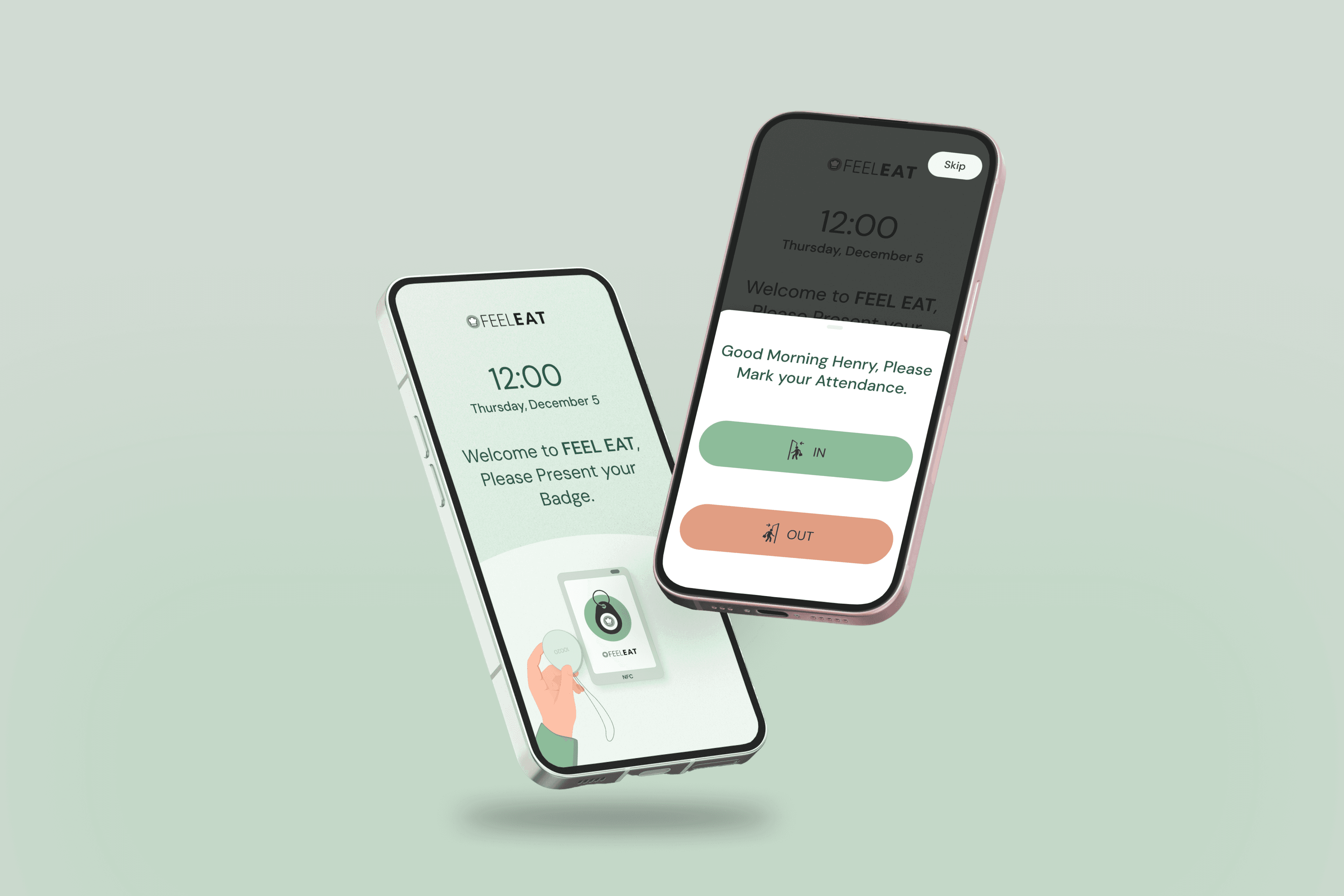
This project involved designing a mobile-based clocking app for internal employees of FEEL EAT, a Switzerland-based B2B food catering company. The app was intended to work like a kiosk, but instead of fixed hardware, it runs on mobile devices placed at office entry points.
Scope:
UI/UX Design for a Mobile Kiosk Attendance App
Industry:
B2B Food Catering
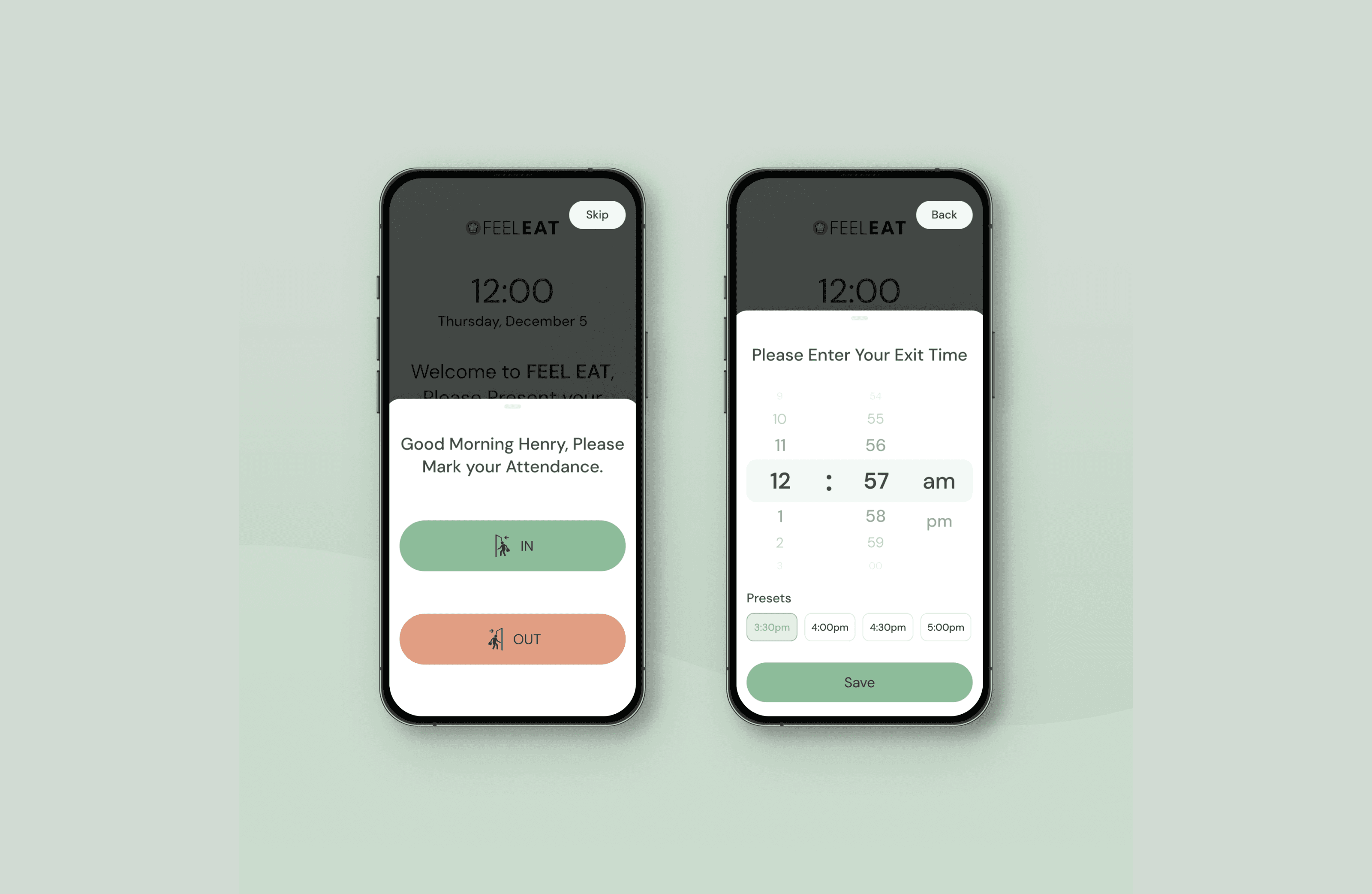
The goal was to enable employees to clock in and clock out quickly and manage badge-based attendance
So, we took it as a mission to build a clocking app that does its job flawlessly and is fun to use.
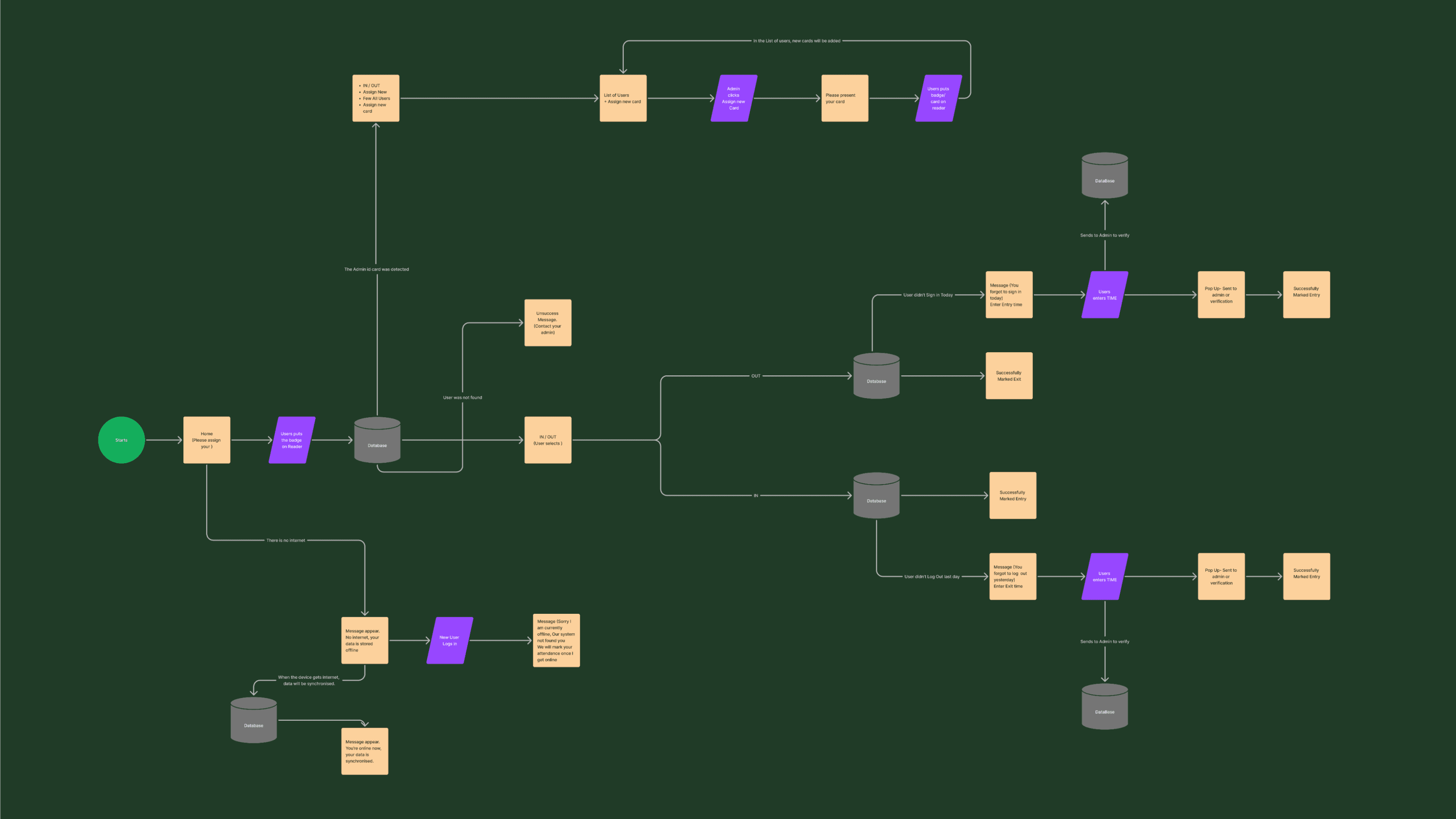
The first thing we did, we all sat on the round table, with the Feel Eat and our team to discuss. Surprisingly, we came up with 6 different case scenarios.
Critical Situations to deal with:
Scenario 1: An employee clocks in and later clocks out without any issues.
Scenario 2: An employee clocks in but forgets to clock out at the end of the day.
Scenario 3: An employee forgets to clock in and attempts to clock out instead.
Scenario 4: The system cannot find the user because the employee is newly added or not yet synced.
Scenario 5: The internet connection is down, and the app cannot fetch data from the server.
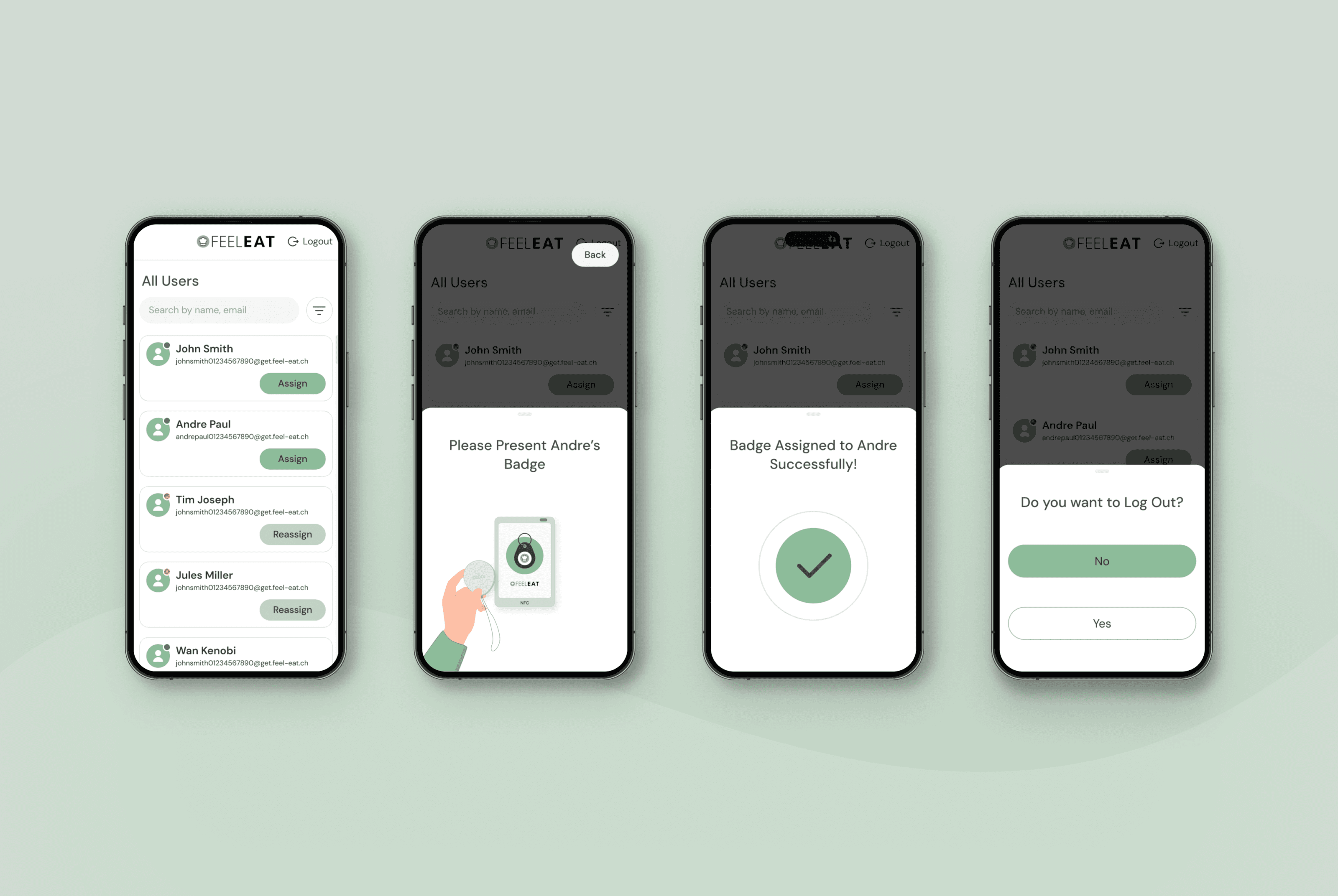
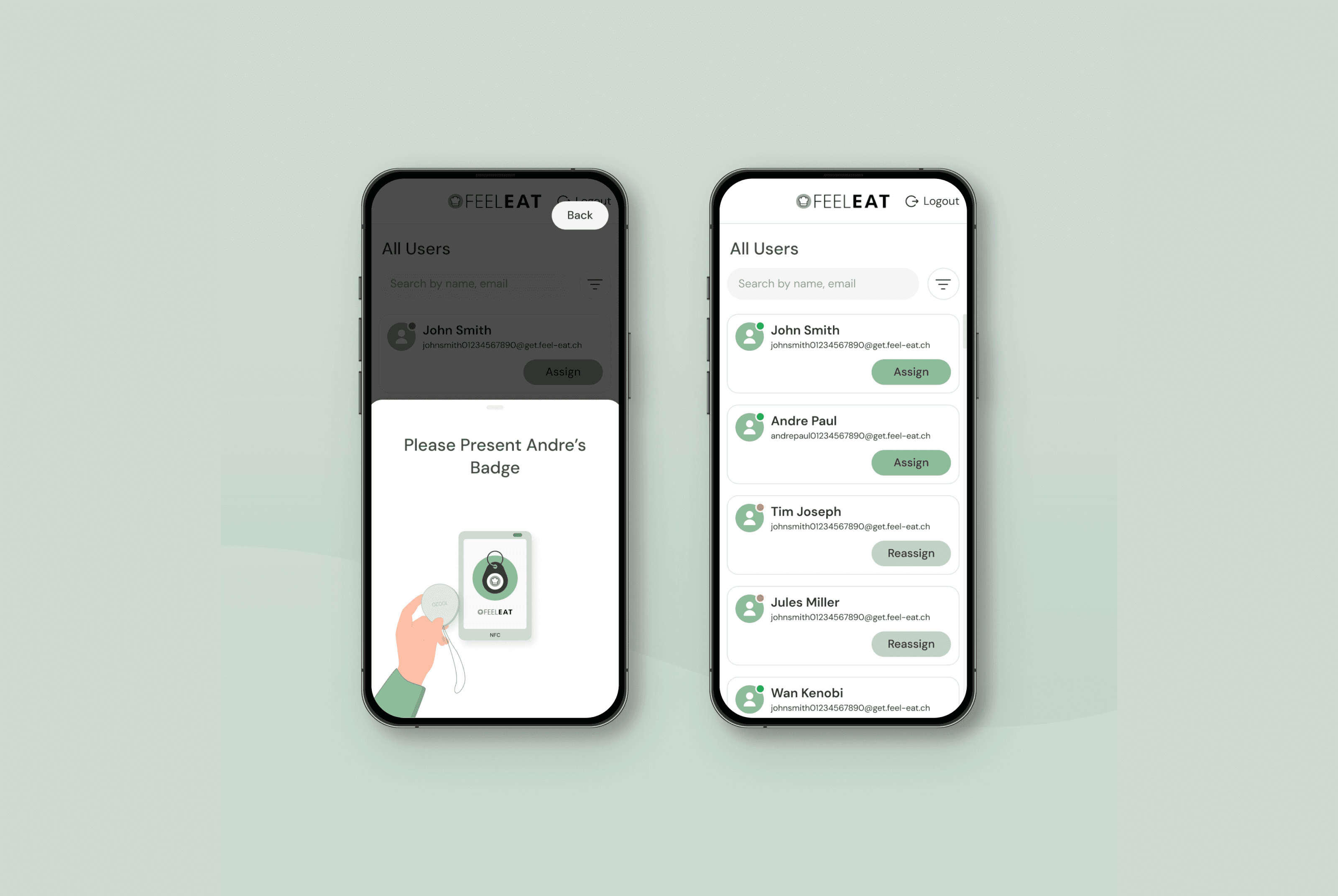
Scenario 6: When an admin taps their badge on the NFC reader, the system unlocks administrative options, allowing them to view employees, assign new badges, and remove or update existing ones.
We focused on making every interaction smooth and efficient — minimizing clicks, maintaining strong visual clarity, and ensuring the system handles all real-world scenarios reliably.
Creating User Flows
I mapped out detailed user flows covering all identified scenarios. This helped us visualize how users would move through the system in normal and edge cases — and exposed friction points early before any design began.
Wireframing Using Figjam
Once the logic was clear, I moved into Wireframing in FigJam, sketching rough layouts for each screen. What should be visible? What should be primary? What should never appear together?
We then conducted review sessions with the FEEL EAT team, discussing each flow and refining decisions based on real operational needs. Several adjustments were made at this stage to improve speed and clarity.
UI Design,... failure
After alignment, I designed the UI. Not once nor twice, but multiple iterations. However, the initial visual directions didn’t fully resonate with the client. So, I revisited the interaction clarity.
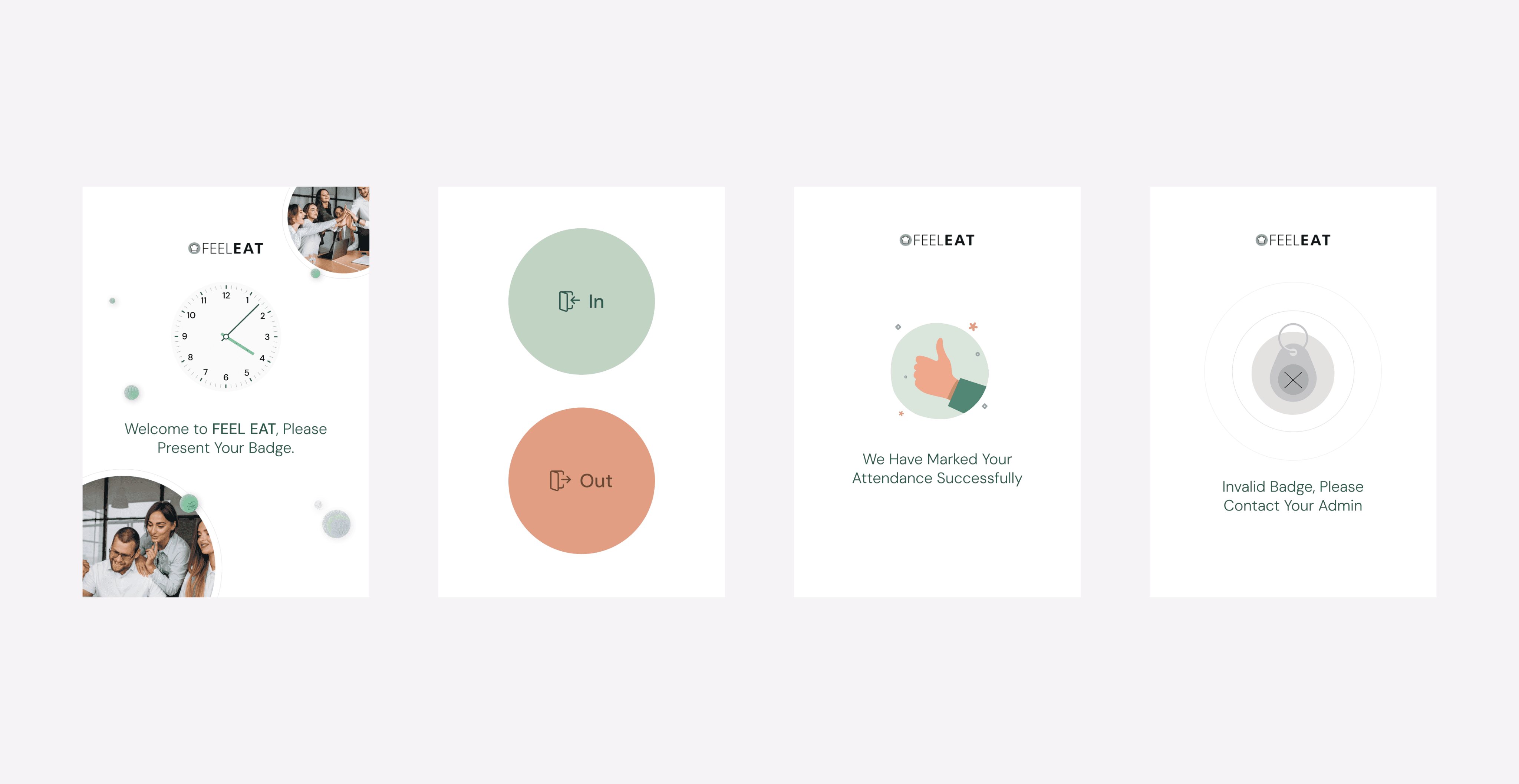
Introducing Animation
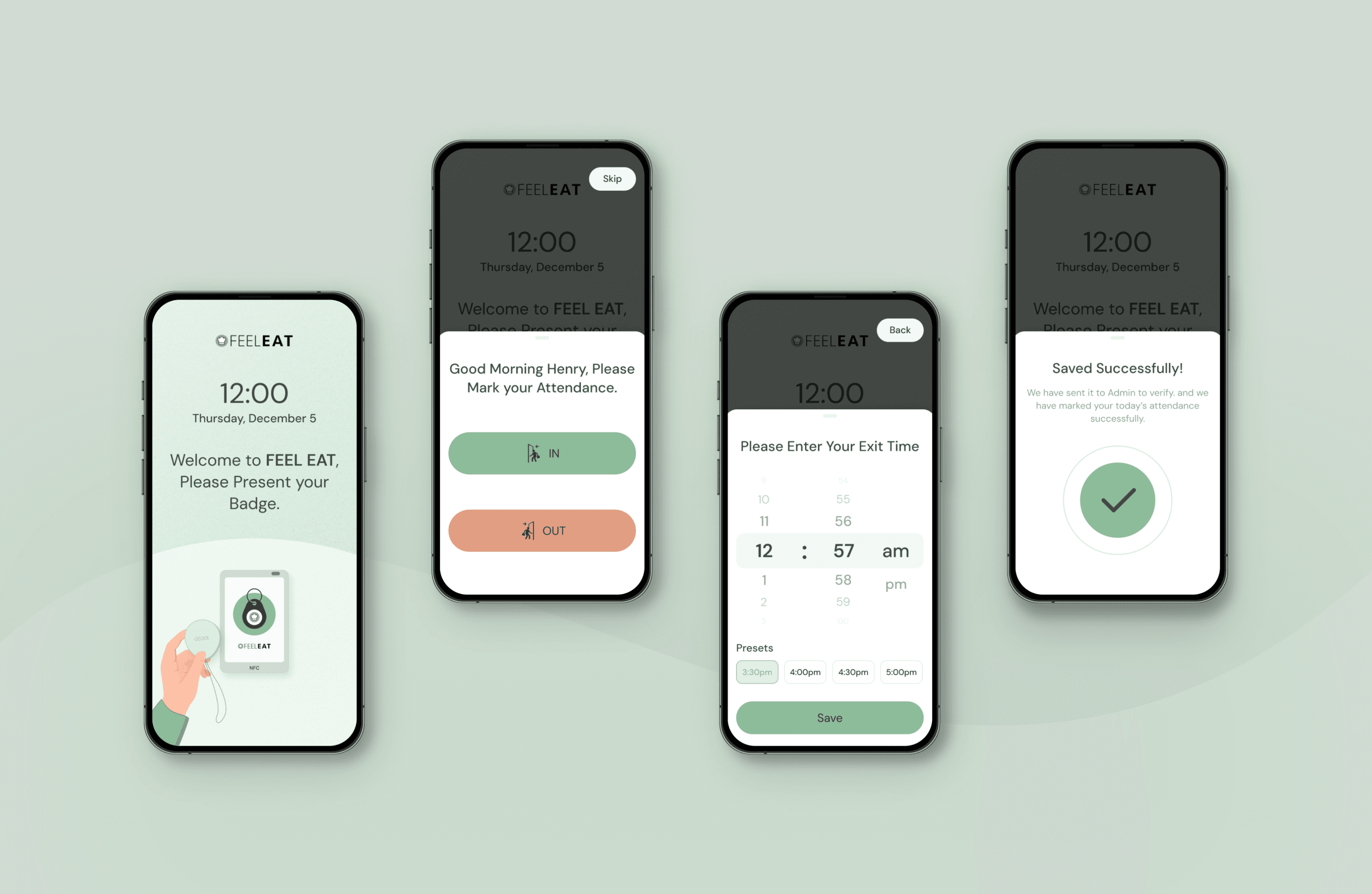
That’s when I introduced a Lottie animation — a simple animation of a hand placing a badge on the NFC reader. It wasn’t decorative. It was instructional.
Sometimes the smallest visual cue makes the biggest difference.

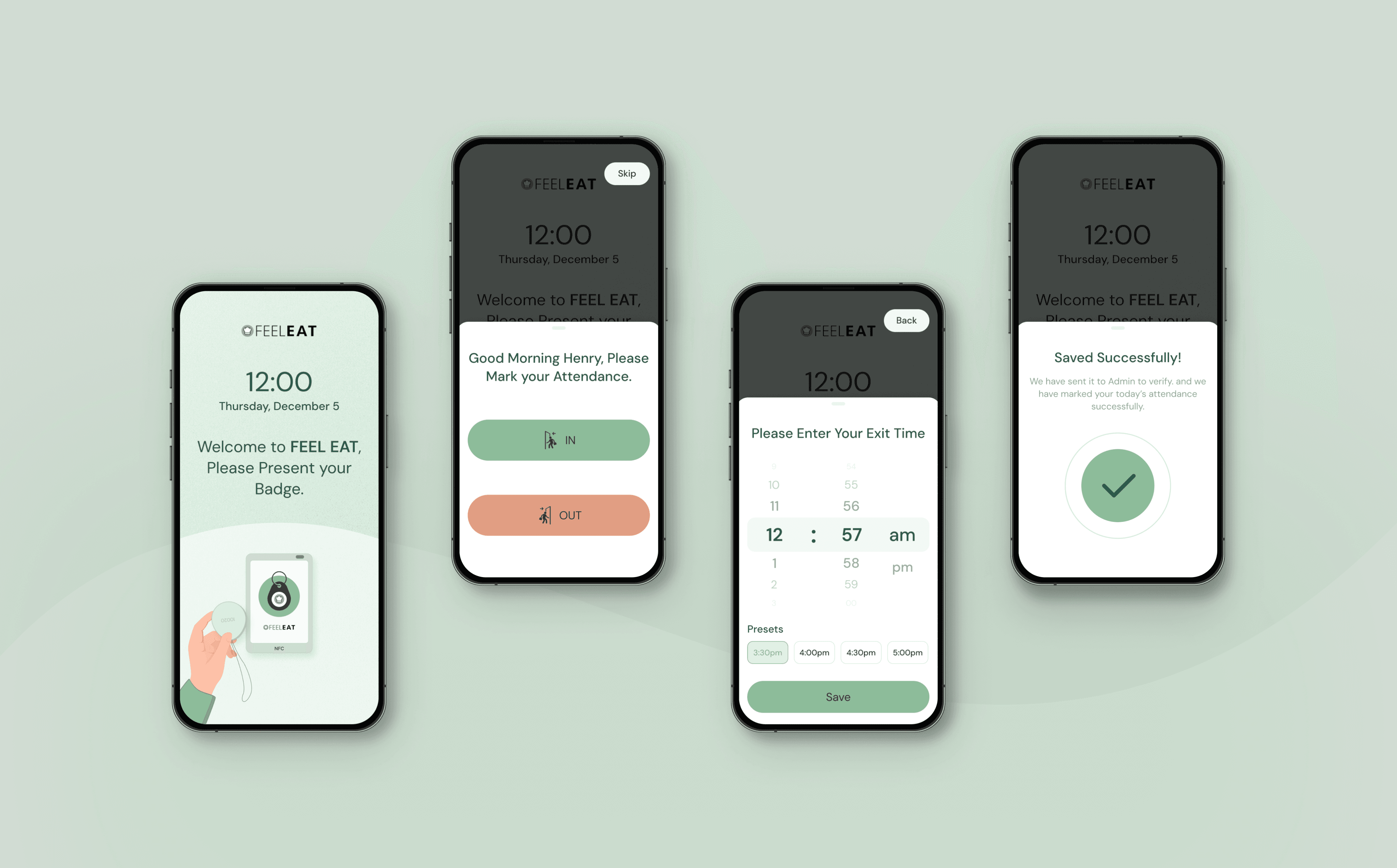
The Final Design
The final design transformed the experience, aligning the visuals with the core objective of the app.
© 2026 Milhan Farooque. All rights reserved.